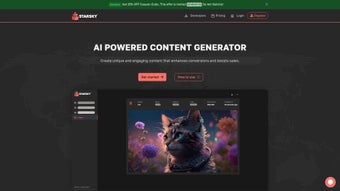

Download Starsky – Advanced AI Content Generator for Free, Secure & Fast Creation
Overview
Starsky is an advanced AI‑powered content generator that aims to simplify the creative workflow for writers, marketers, educators, and anyone who needs high‑quality text, audio transcriptions, or visual assets on demand. Built on cutting‑edge natural language processing algorithms, Starsky can produce unique, engaging copy that matches the tone, style, and intent you specify. Whether you need a polished blog post, a concise email draft, a detailed technical document, or a conversational chat reply, Starsky adapts instantly, delivering results that often feel like they were written by a seasoned professional.
The platform also supports audio extraction, turning spoken words into editable documents—a feature that dramatically speeds up note‑taking, interview transcription, and podcast summarisation. Multilingual support expands its reach, allowing users to generate content in over 30 languages, making it an ideal solution for global teams. With a subscription‑based model, Starsky guarantees continuous updates, security patches, and new template releases, ensuring the tool stays relevant in the fast‑moving world of AI content creation.
In short, Starsky combines flexibility, speed, and reliability, positioning itself as a must‑have app for anyone looking to boost productivity while maintaining a high standard of quality.
Key Features That Set Starsky Apart
- 50+ Customizable Templates: From SEO articles to social media captions, each template is pre‑optimized for specific use‑cases.
- Multilingual Generation: Supports more than 30 languages, with automatic language detection and seamless switching.
- Audio Extraction & Transcription: Upload MP3, WAV, or video files and receive a fully editable text document in seconds.
- Graphic Content Creation: Transform ideas into visual assets such as infographics, banners, and social posts using AI‑driven design suggestions.
- Real‑Time Collaboration: Multiple users can edit the same project simultaneously, with version history and comment threads.
- Secure Cloud Storage: All generated content is saved encrypted on the cloud, accessible from any device.
- Continuous Updates: Subscription model guarantees regular feature releases, algorithm improvements, and security patches.
- Integration Ready: API access allows connection with CMS platforms, marketing automation tools, and CRM systems.
- Adaptive Tone & Style Controls: Fine‑tune formality, humor, technical depth, and brand voice with simple sliders.
- Usage Analytics Dashboard: Track word count, time saved, and content performance metrics to measure ROI.
Installation, Usage & Compatibility Guide
Getting started with Starsky is straightforward. The service is delivered as a web‑based application, eliminating the need for complex installations. Simply visit the official website, create a free account, and choose a subscription plan that fits your needs. For teams that prefer desktop access, Starsky offers native clients for Windows 10/11 and macOS Monterey or later. Mobile users can download the iOS and Android apps from the Apple App Store or Google Play Store, ensuring you can generate content on the go.
Once logged in, the onboarding wizard walks you through setting up your first project. Select a template, define the target language, and provide any reference material. The AI then processes your inputs and presents a draft within seconds. For audio transcription, drag and drop your file onto the dedicated “Transcribe” tab; the system will automatically detect speech, separate speakers, and produce a timestamped document.
Starsky is fully compatible with Windows 10/11, macOS Monterey+, Android 8.0+, and iOS 13+. It also integrates smoothly with major browsers such as Chrome, Edge, Safari, and Firefox, ensuring a consistent experience across platforms.
Because the platform relies on cloud processing, a stable internet connection is required for optimal performance. However, a lightweight offline mode is available for draft editing; changes sync automatically once you reconnect.
Pros & Cons, Frequently Asked Questions, and Final Verdict
Pros
- High‑quality, context‑aware content generation.
- Robust audio transcription and multilingual support.
- Extensive template library reduces writer’s block.
- Secure cloud storage with end‑to‑end encryption.
- Scalable API for enterprise integration.
Cons
- Subscription cost may be a barrier for casual users.
- Heavy reliance on internet connectivity.
- Learning curve for advanced tone‑control features.
Frequently Asked Questions
-
Is there a free trial available?
Yes, Starsky offers a 7‑day free trial with access to all premium templates and transcription features.
-
Can I export generated content to Word or PDF?
Absolutely. Content can be downloaded in DOCX, PDF, or plain‑text formats directly from the dashboard.
-
How secure is my data?
Starsky uses AES‑256 encryption for data at rest and TLS 1.3 for data in transit, complying with GDPR and CCPA standards.
-
Does Starsky integrate with my existing CMS?
Through its RESTful API, Starsky can push content directly to WordPress, HubSpot, Contentful, and many other platforms.
-
What languages are supported for transcription?
Transcription works in English, Spanish, French, German, Mandarin, and 15 additional languages with high accuracy.
Conclusion & Call to Action
Overall, Starsky delivers a compelling blend of AI writing, transcription, and graphic generation that meets the needs of both individual creators and larger teams. Its extensive template library and multilingual capabilities make it a versatile choice for global businesses, while the secure cloud infrastructure ensures peace of mind. Although the subscription price may deter occasional users, the productivity gains—often measured in hours saved per week—justify the investment for professionals who rely on rapid, high‑quality content. Ready to boost your output and streamline your workflow? Download Starsky today and start your free trial to experience AI‑driven creativity without risk.



.png)



